How to Send Bulk WhatsApp Messages to Thousands of Customers
 Cloud WhatsApp Team
Need to send one offer, reminder or update to thousands of customers on WhatsApp? Bulk WhatsApp marketing lets you do it in one click, with each customer’s name, a photo and a button, and a report showing who received and read it. This step-by-step guide covers campaign setup, customer consent, personalisation and delivery reports in simple steps.
3 ways to send bulk WhatsApp messages
| Method | How it works | Best for |
|---|---|---|
| Bulk WhatsApp Panel (Cloud WhatsApp) | Upload contacts, write once, send to thousands in one click | Fast, low-cost promotions with no template approval wait |
| Official WhatsApp Business API | Verified business number with approved templates | Brand messaging, automation, order updates and OTPs |
| Forwarding or desktop tools on your own phone | Sends from your personal WhatsApp, one phone at a time | Not recommended: slow, and your number can get restricted |
Cloud WhatsApp gives you both the Bulk WhatsApp Panel and the official API, so you can pick one or use both. See all Cloud WhatsApp services, or compare the options in our WhatsApp bulk sender vs manual messaging guide.
The Bulk WhatsApp Panel is a Cloud WhatsApp service, not a product of WhatsApp or Meta. For messages from a verified business profile, choose the official API.
Step 1: Get customer consent first
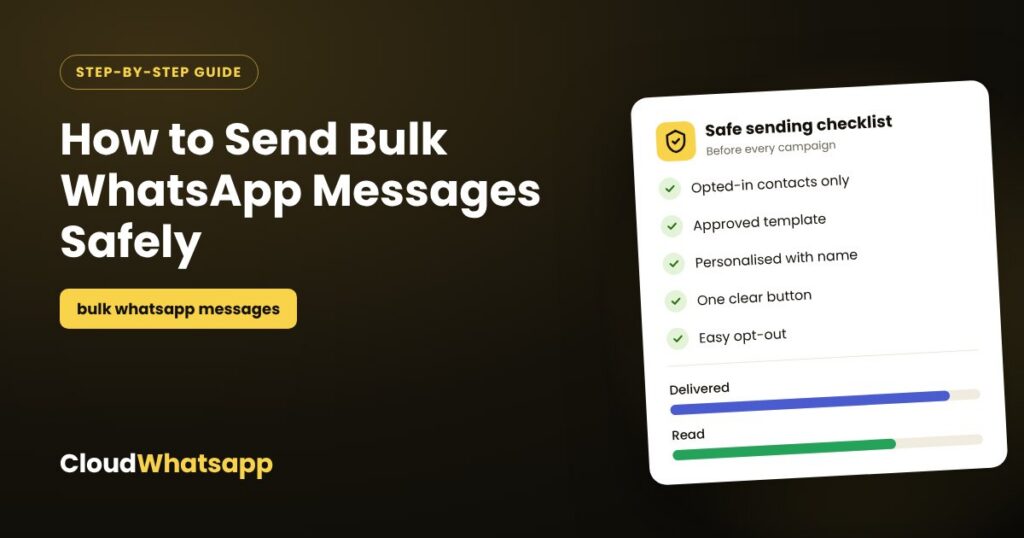
The most important step happens before you send anything. Customers who agreed to hear from you open, reply and buy; strangers block and report. Collect consent in simple ways:
- A WhatsApp checkbox on your website, checkout or enquiry form.
- A question at the billing counter: “Can we send you offers on WhatsApp?”
- A QR code or missed-call number in your store, on packaging and on flyers.
- Note when and where each customer agreed, and remove anyone who asks you to stop.
Steps 2–7: Set up and send your bulk WhatsApp campaign
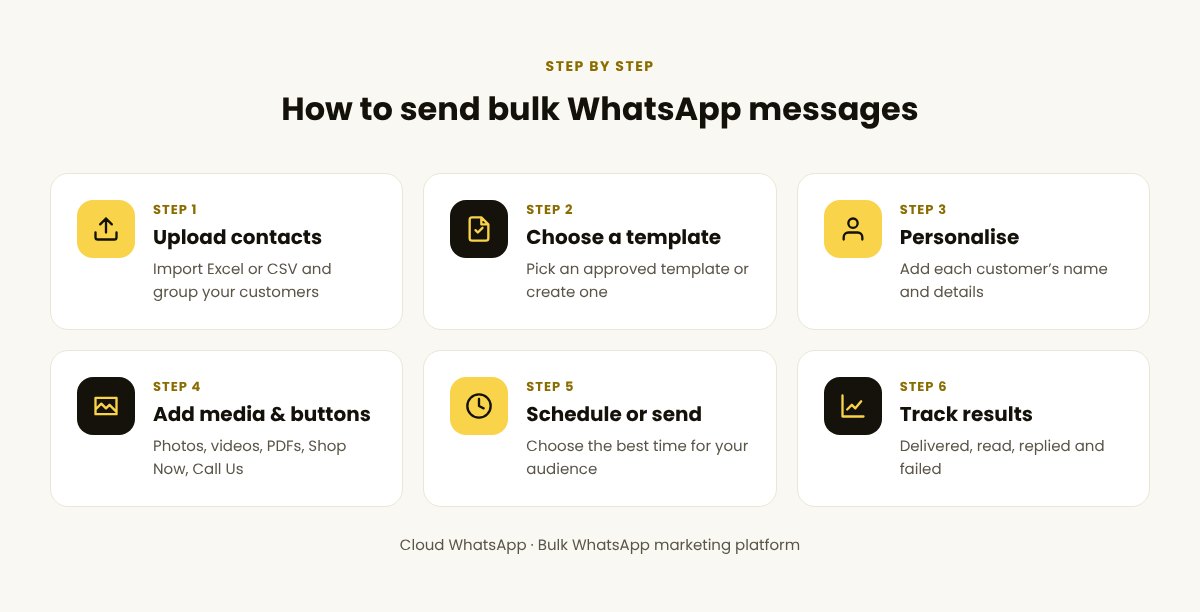
- Upload your contacts. Import an Excel or CSV file with numbers (with country code) and, if you have them, names and cities. Group them, for example “Recent buyers” or “Delhi customers”.
- Write your message. On the Bulk WhatsApp Panel you can send right away; on the official API, choose an approved template or submit a new one.
- Personalise it. Insert variables such as the customer’s name, city or order number (see below).
- Add media and a button. Attach a product photo, video or PDF brochure, and add one clear button such as “Shop now”, “Call us” or “Book a slot”.
- Send now or schedule. Late morning and early evening work well for most audiences; avoid late night.
- Track and reply. Watch delivered and read numbers in your report and reply to every customer who responds.
How to personalise every message
A message that starts with the customer’s own name and city feels written for one person, even when it goes to thousands. You add placeholders once, and each customer’s details fill in automatically from your contact file:
Hi {{1}}, our festive sale is live at our {{2}} store! Special prices on the new collection till Sunday. Tap below to see the offers.
[Shop now]Hi {{1}}, a quick reminder that your appointment is tomorrow at {{2}}. Reply 1 to confirm or 2 to reschedule.
[Confirm] [Reschedule]Hi {{1}}, it’s been a while! Here’s a special welcome-back offer for this week. Reply YES and we’ll share the details.
[Yes, tell me]{{1}} and {{2}} are variables that are replaced with each customer’s name, city, time or other details when the message is sent.
How to write bulk WhatsApp messages that get replies
- Lead with the benefit in the first line; that is what shows in the notification.
- Keep it short: 2–4 lines.
- One photo, one button, one action.
- Use the customer’s language. Hindi or a regional language often gets more replies.
- Be honest with deadlines: “Offer ends Sunday” only if it really does.
Need inspiration? Here are 10 WhatsApp marketing ideas that turn conversations into sales.
How to read your delivery reports
Cloud WhatsApp shows the status of every message, and you can download the full report in Excel:
| Metric | What it tells you | How to improve it |
|---|---|---|
| Delivered | Messages that reached the customer’s phone | Clean your list and fix number formats |
| Read | Customers who opened your message | Stronger first line, better timing |
| Replied / clicked | Customers who took action | One clear button, a better offer |
| Failed | Messages that could not be delivered | Remove invalid or inactive numbers |
Compare two versions of a message on small groups first, then send the winner to everyone. Ask for plans and pricing for your volume.
Keep delivery and replies high
- Only message opted-in customers. Never buy contact lists.
- Segment your list so each group gets offers that matter to them.
- Control frequency: one or two promotions a week.
- Make opting out easy: add “Reply STOP to unsubscribe” and honour it.
- On the official API, your daily limit grows as customers engage, so start with your most active customers.
- Reply fast. Quick replies turn a broadcast into a sale.
New to campaigns? Start with our complete guide to bulk WhatsApp marketing. Sending in India? See how to send bulk WhatsApp messages in India.
Frequently asked questions
How can I send bulk WhatsApp messages to thousands of customers?
Upload your opted-in contacts to a bulk WhatsApp marketing platform such as Cloud WhatsApp, write your message with a photo and a button, and send it to everyone in one click. Use the Bulk WhatsApp Panel for fast promotions or the official API for verified brand messaging.
Do customers need to agree to receive my messages?
Yes. Send only to customers who agreed to hear from you, such as buyers and people who enquired, and remove anyone who asks you to stop. It keeps delivery and replies high.
Can I add my customers’ names to each message?
Yes. Variables add each customer’s name, city, order number or other details automatically from your contact file.
Can I see who received and read my message?
Yes. Cloud WhatsApp reports show delivered, read and failed status for every number, and you can download them in Excel.
Can I send to customers in other countries?
Yes. Cloud WhatsApp supports sending to customers in 171 countries from one dashboard.
Start WhatsApp Marketing with Cloud WhatsApp
Send bulk WhatsApp campaigns, offers, reminders and updates from one easy dashboard, with crystal clear reports for every message.
Start WhatsApp Marketing with Cloud WhatsApp Talk to our team