WhatsApp Bulk Sender vs Manual Messaging: Which Is Better for Growing Businesses?
 Cloud WhatsApp Team
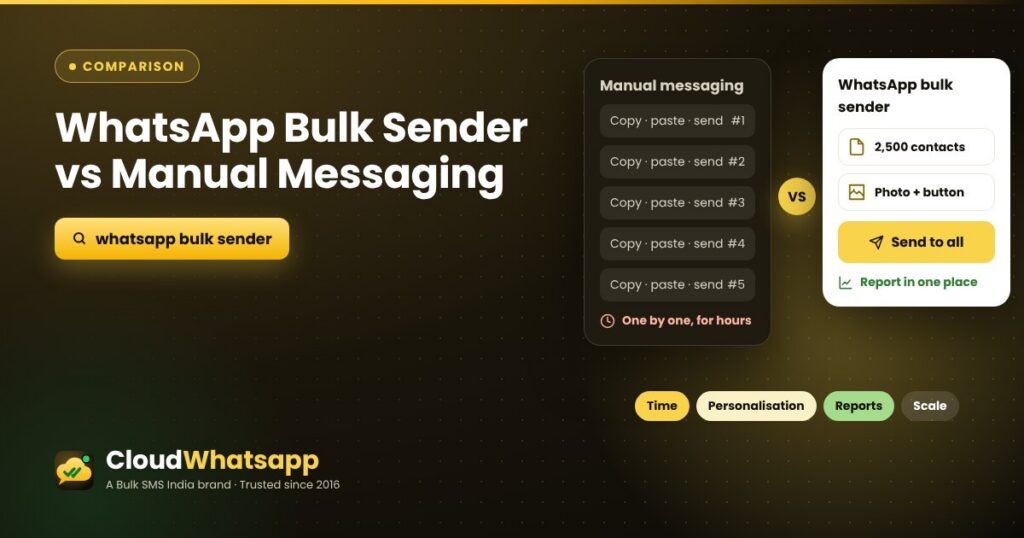
Many businesses still send offers on WhatsApp the manual way: copy, paste, send, and repeat for every customer. It works for a handful of chats, but as your customer list grows it eats hours and leaves no record of results. This guide compares a WhatsApp bulk sender with manual messaging on time, personalisation, campaign management, reports and safe sending, so you can decide what fits your business.
Quick answer
Manual messaging is fine for a few personal chats a day. Once you message more than a few dozen customers about the same offer or update, a WhatsApp bulk sender saves hours, keeps every message consistent and personalised, and shows you who received and read it.
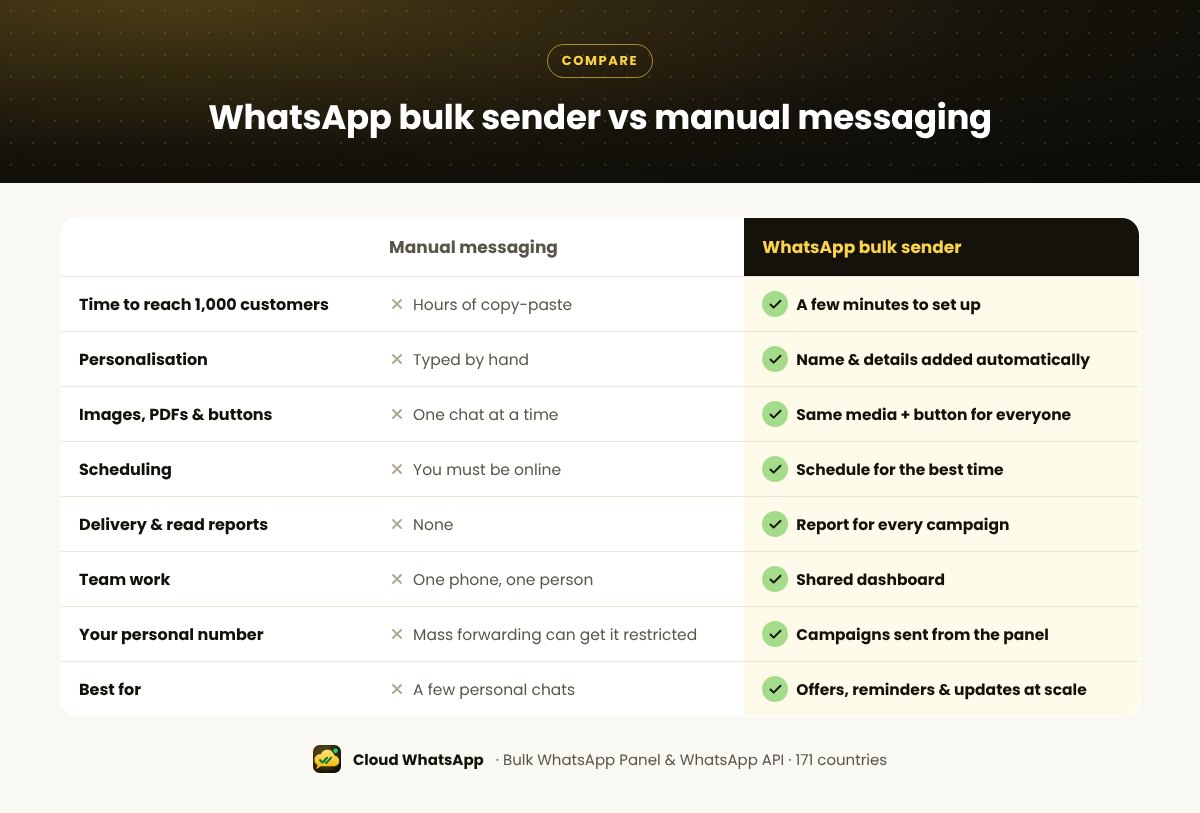
WhatsApp bulk sender vs manual messaging: side by side
1. Time
Sending one message manually takes about a minute: find the chat, paste the text, attach the photo, send. Repeat that for a few hundred customers and a single offer takes most of a working day, and it has to be done again for the next campaign.
With a bulk sender you upload your list once, write the message once, and send it to everyone in one click. The time you save goes into replying to customers, which is where sales close.
2. Personalisation
Manual messages are personal only if you type each customer’s name by hand, and under time pressure most people stop doing it. A bulk sender adds the name, city or order details for every customer automatically:
Hi {{1}}, your favourite store in {{2}} has new festive arrivals. See them first before the weekend rush.
[See collection]{{1}} and {{2}} are replaced with each customer’s name and city when the message is sent.
3. Campaign management
| Task | Manual messaging | WhatsApp bulk sender |
|---|---|---|
| Contact groups | Scattered across phones | Upload Excel/CSV and make groups |
| Scheduling | You must be online | Schedule for the best time |
| Images, PDFs, buttons | One chat at a time | Same media and button for everyone |
| Team work | One phone, one person | One dashboard for the team |
| Repeat a campaign | Start again from zero | Reuse the message and the list |
4. Reporting
With manual messaging you can’t easily tell how many customers saw your offer. A bulk sender gives you a report for every campaign with delivered, read and failed numbers, which you can download in Excel. Over a few campaigns you learn which offers, times and messages work best.
5. Safe and respectful messaging
Whichever way you send, the same good practices apply:
- Message customers who agreed to hear from you, such as buyers and enquiries.
- Don’t mass-forward from your personal number. Forwarding the same message to hundreds of people from one phone can get that number restricted.
- Keep frequency reasonable: one or two promotions a week.
- Let people stop: add “Reply STOP to unsubscribe” and honour it.
Cloud WhatsApp offers two ways to send in bulk: the Bulk WhatsApp Panel for fast, low-cost promotions sent from the panel (not your phone), and the official WhatsApp API for messages from your verified business name with automation. Read the full bulk WhatsApp sender guide to compare them.
The Bulk WhatsApp Panel is a Cloud WhatsApp service, not a product of WhatsApp or Meta. For messages from a verified business profile, choose the official API.
When manual is fine, and when to switch
- Stay manual if you chat with a few customers a day and rarely send the same message to many people.
- Switch to a bulk sender when you send the same offer, reminder or update to more than a few dozen customers, want to schedule campaigns, or need to know what worked.
- Use both: send campaigns with the bulk sender, and reply to customers one-to-one as conversations start.
Need ideas for your first campaign? Try these 10 WhatsApp marketing ideas, then follow our guide to send bulk WhatsApp messages.
Frequently asked questions
What is a WhatsApp bulk sender?
A tool that sends one message (text, image, video, PDF and buttons) to many customers at once, with personalisation and a delivery report, instead of sending it chat by chat.
Is a WhatsApp bulk sender better than manual messaging?
For campaigns to more than a few dozen customers, yes: it saves hours, personalises every message automatically and shows results. For a few personal chats a day, manual messaging is enough.
Can I still reply to customers personally?
Yes. Bulk sending starts the conversation; you or your team reply to customers individually when they respond.
Will a bulk sender use my personal WhatsApp number?
No. With Cloud WhatsApp, campaigns go from the Bulk WhatsApp Panel or the official API, not from the WhatsApp on your phone.
How do I start with a WhatsApp bulk sender?
Book a free demo with Cloud WhatsApp. Our team sets up your account and helps you send your first campaign.
Start WhatsApp Marketing with Cloud WhatsApp
Send bulk WhatsApp campaigns, offers, reminders and updates from one easy dashboard, with crystal clear reports for every message.
Start WhatsApp Marketing with Cloud WhatsApp Talk to our team